> ## Documentation Index
> Fetch the complete documentation index at: https://supermemory-temp-snowcone-command.mintlify.site/llms.txt
> Use this file to discover all available pages before exploring further.
# viaSocket
> Connect Supermemory with viaSocket to build automation flows using triggers, API tokens, and actions like Gmail.
Connect Supermemory to viaSocket to build powerful automation flows — search your memory, trigger actions, and wire up services like Gmail, all without writing code.
## Prerequisites
* A Supermemory API key ([get one here](https://console.supermemory.ai/settings))
* A viaSocket account
## Step-by-Step Tutorial
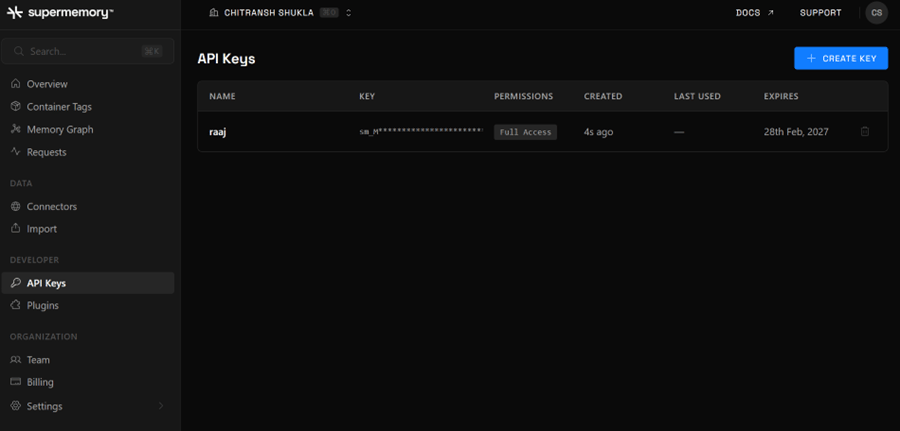
* Log in to your [Supermemory account](https://console.supermemory.ai).
* Go to **Settings → API Key**.
* Copy your Personal API key.
* Keep the key secure — treat it like a password.
 * Click **Create New Flow** in your viaSocket dashboard.
* In the **Trigger** section, search for and select **Supermemory**.
* Choose a trigger — **Search Memory** or **Search User Profile**.
* Click **Create New Flow** in your viaSocket dashboard.
* In the **Trigger** section, search for and select **Supermemory**.
* Choose a trigger — **Search Memory** or **Search User Profile**.
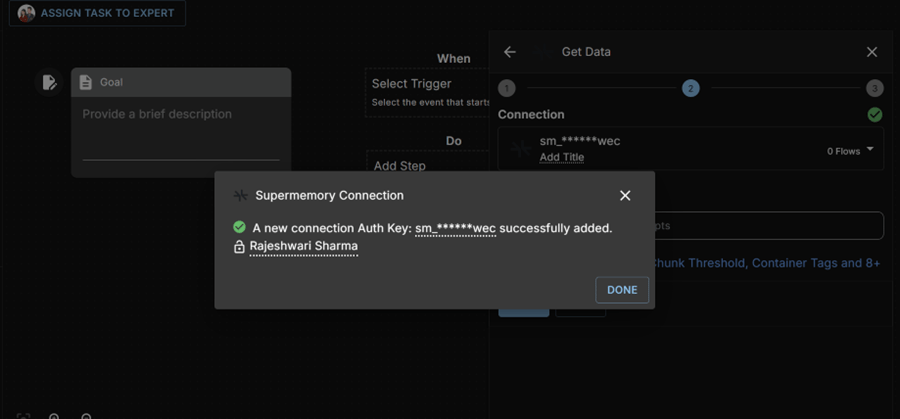 * Click **Connect to Supermemory**.
* Paste your Supermemory API key.
* Click **Save** to store the connection.
* Confirm the connection is successfully added before proceeding.
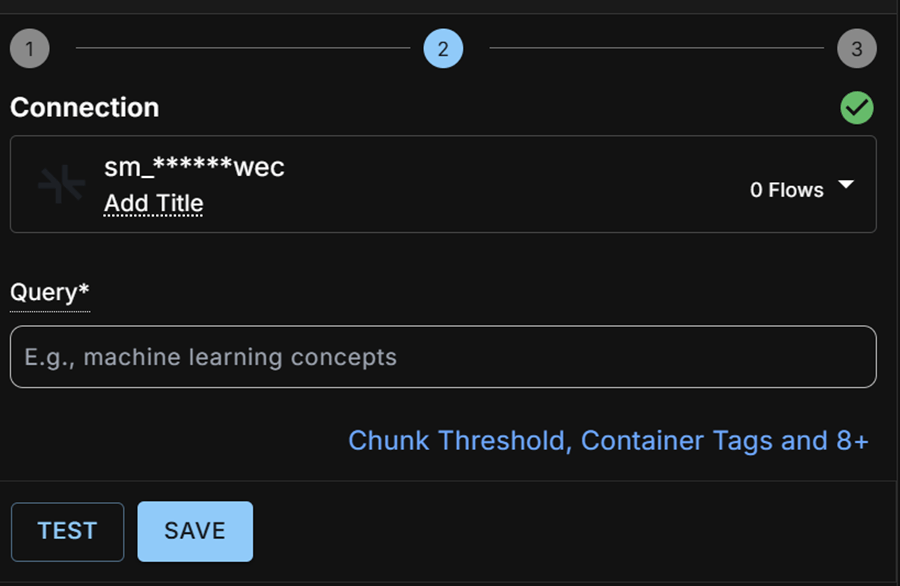
* Provide a **Query** — either a static value or a dynamic input from a previous step.
* Click **TEST** to run a sample and verify the output.
* Save the trigger once the test returns expected data.
* Click **Connect to Supermemory**.
* Paste your Supermemory API key.
* Click **Save** to store the connection.
* Confirm the connection is successfully added before proceeding.
* Provide a **Query** — either a static value or a dynamic input from a previous step.
* Click **TEST** to run a sample and verify the output.
* Save the trigger once the test returns expected data.
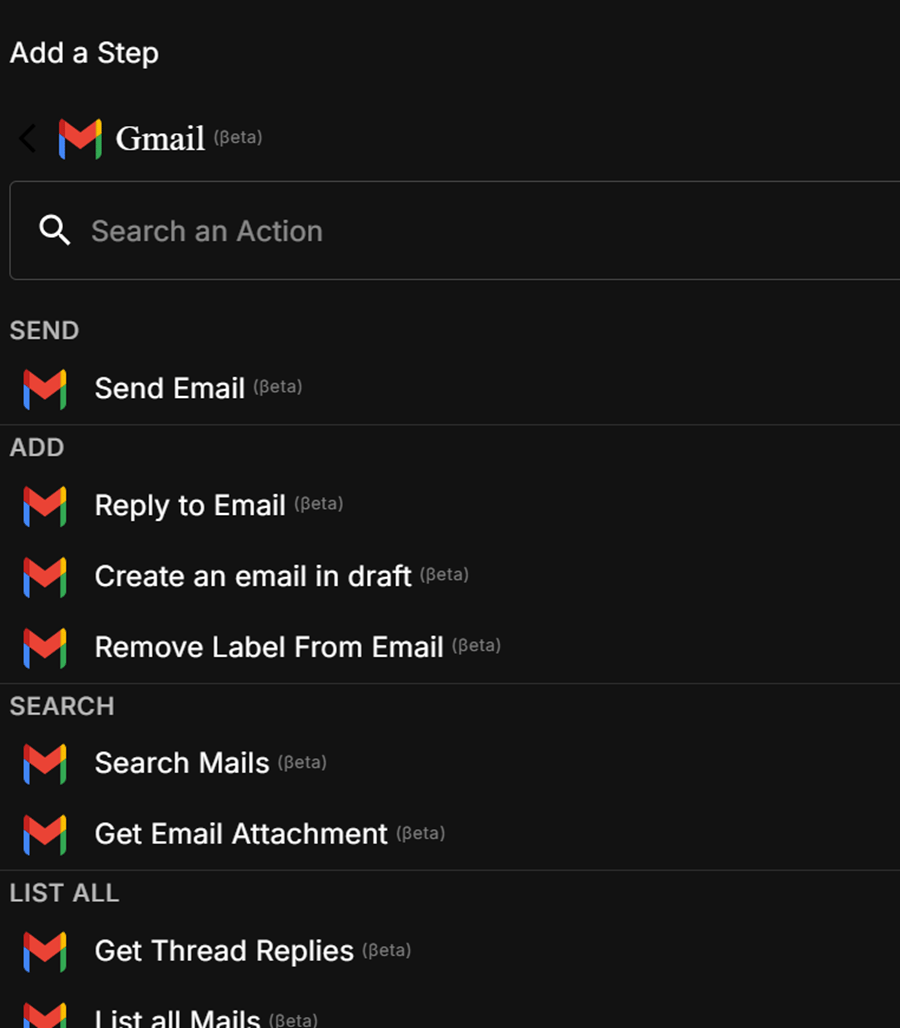
 * Click **Add Step**.
* Select **Gmail → Send Email**.
* Choose an existing Gmail connection or create a new one.
* Map the required fields:
* **To** — recipient email address
* **Subject** — email subject line
* **Message Body** — use the trigger's `body` object as dynamic input
* Click **Test** to send a test email.
* Confirm a **200** response status before saving.
* Click **Add Step**.
* Select **Gmail → Send Email**.
* Choose an existing Gmail connection or create a new one.
* Map the required fields:
* **To** — recipient email address
* **Subject** — email subject line
* **Message Body** — use the trigger's `body` object as dynamic input
* Click **Test** to send a test email.
* Confirm a **200** response status before saving.
 * Click **GO LIVE** to activate your flow.
* Confirm the activation prompt.
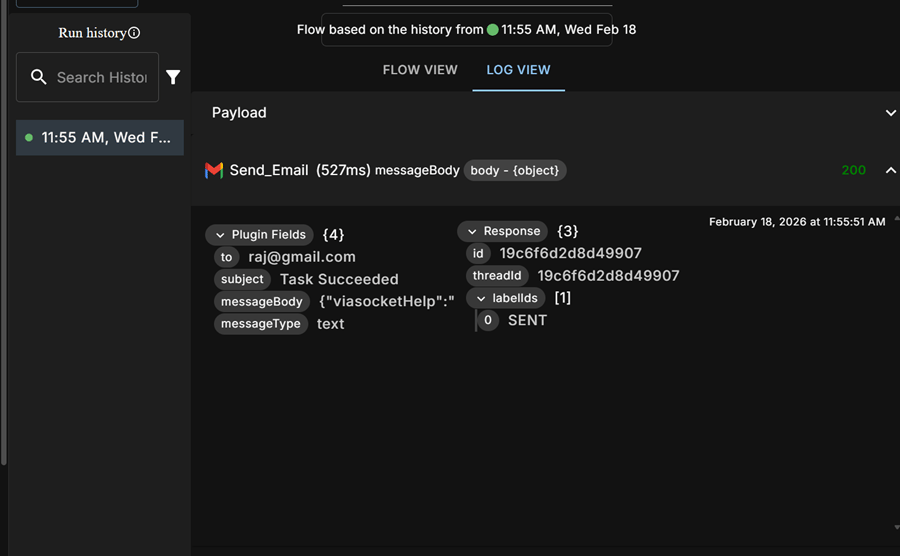
* Use **Flow View** to inspect the flow structure and **Log View** to monitor executions in real time.
* If needed, re-run any execution from **Run History**.
* Click **GO LIVE** to activate your flow.
* Confirm the activation prompt.
* Use **Flow View** to inspect the flow structure and **Log View** to monitor executions in real time.
* If needed, re-run any execution from **Run History**.
 Make sure your Supermemory API key has the correct permissions before
connecting. If the TEST step returns no data, double-check the query and
ensure your Supermemory account has indexed content.
You can extend this flow with other actions and services supported by viaSocket.
Make sure your Supermemory API key has the correct permissions before
connecting. If the TEST step returns no data, double-check the query and
ensure your Supermemory account has indexed content.
You can extend this flow with other actions and services supported by viaSocket.